Where to Find Ticket Config
Go to the dashboard and navigate:
Setup → Ticket Config
This opens the configuration panel where you control automated messaging, ticket timers, and resolution behaviour.
Queued Ticket Settings
When to use this ?
When a ticket is created but no agent is immediately available, queued ticket settings determine what the customer sees and experiences.
Configurable options
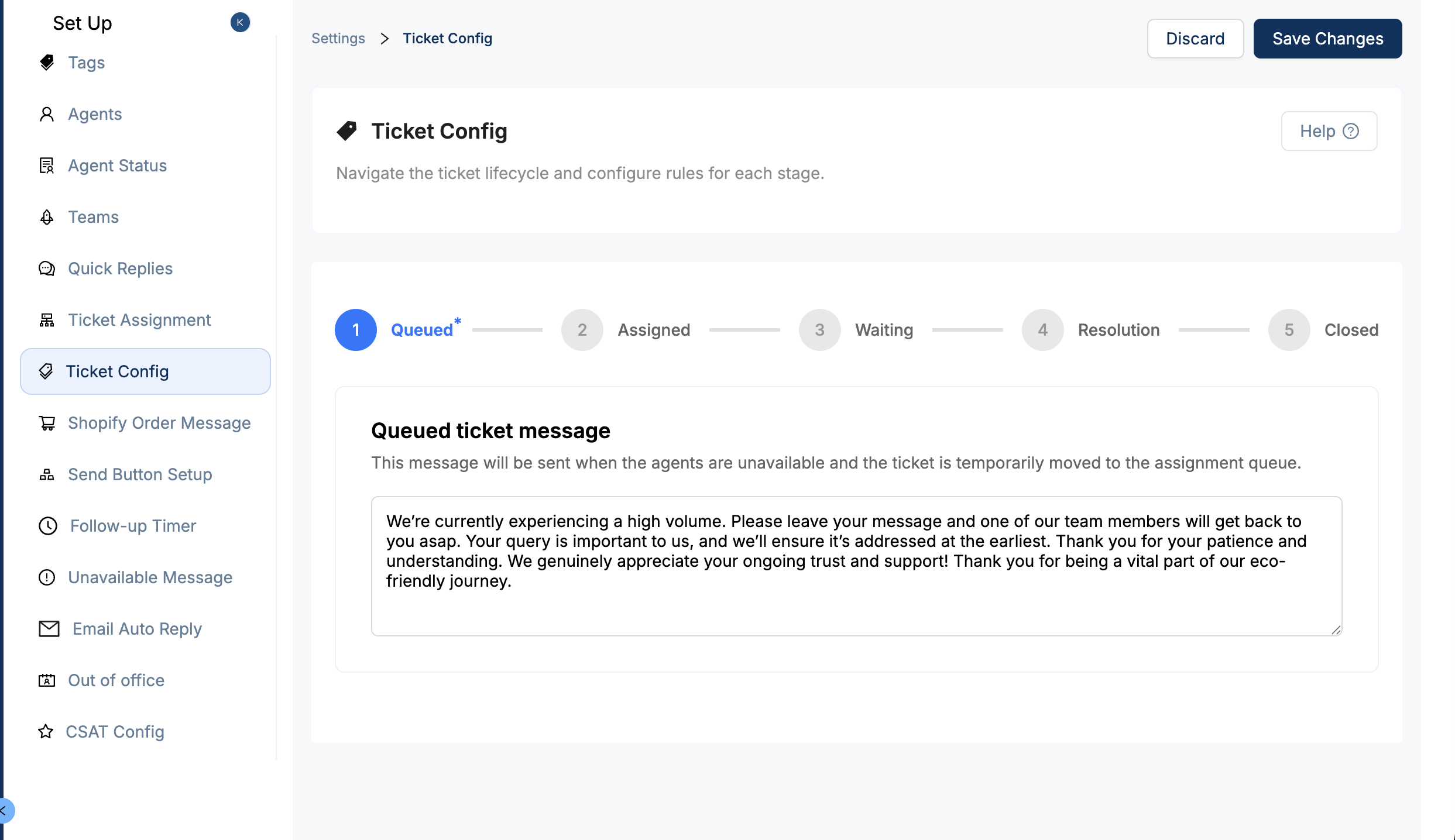
Queued Ticket Message
This message is sent automatically to the customer letting them know their ticket is waiting in queue.
Editable Text – Customize this message based on your brand tone (e.g., “You are currently in the queue and your request is important to us. We are working diligently to assist you as quickly as possible and we appreciate your patience!”).
Assigned Ticket Settings
What it does ?
This is the message your customer receives when an agent is assigned to their ticket — a confirmation that the conversation is now being actively handled.
Configuration
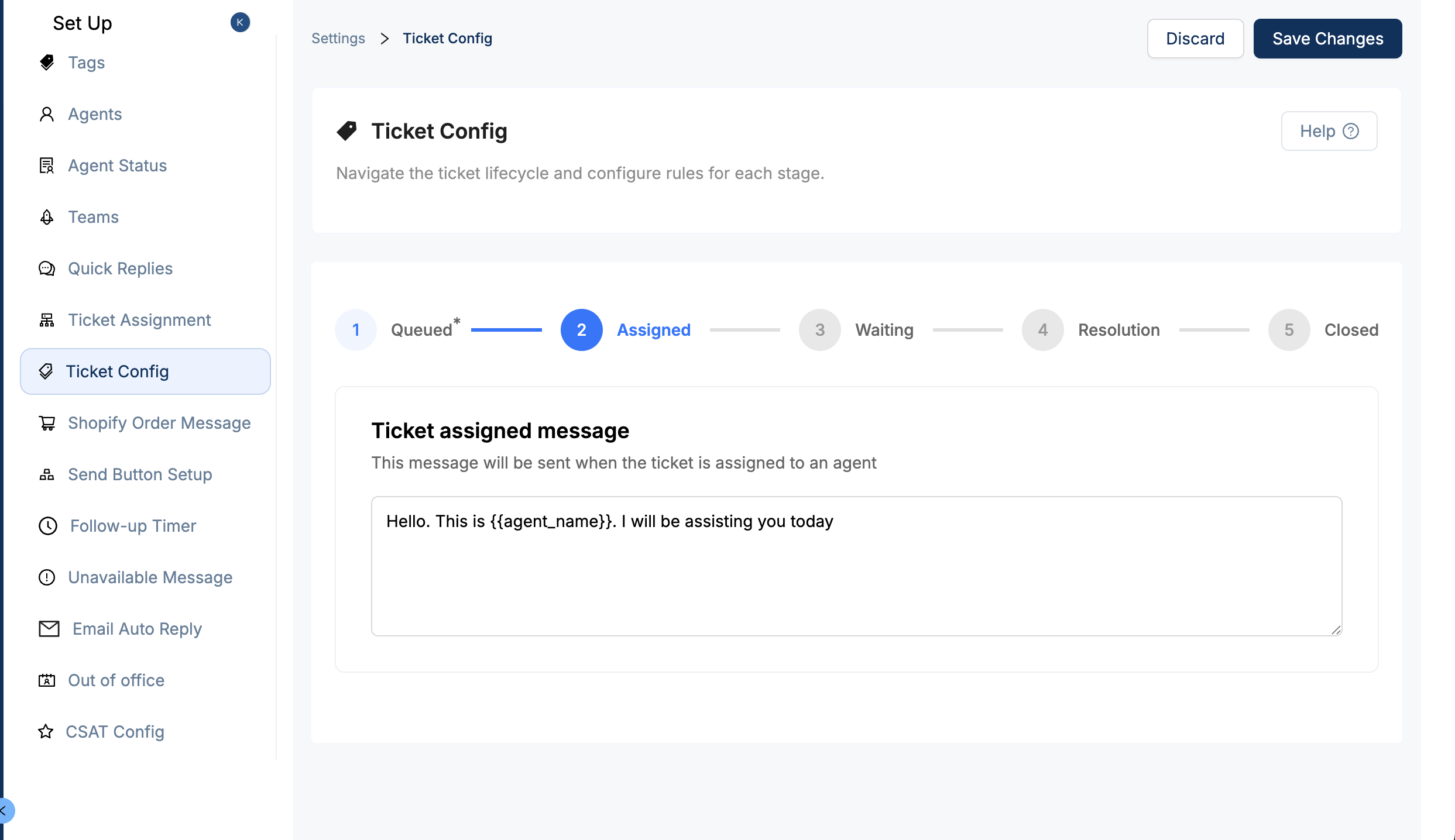
Assigned Ticket Message
Edit the message to include agent friendliness — e.g., “Hi there! I’m Alex, and I’ll be helping you today.”
You can include agent name as a variable using this format {{agent_name}}
Waiting Ticket Settings
When to use this ?
When a ticket goes into a waiting state (typically waiting for customer response), you can control reminders and timeout behaviour.
Configurations
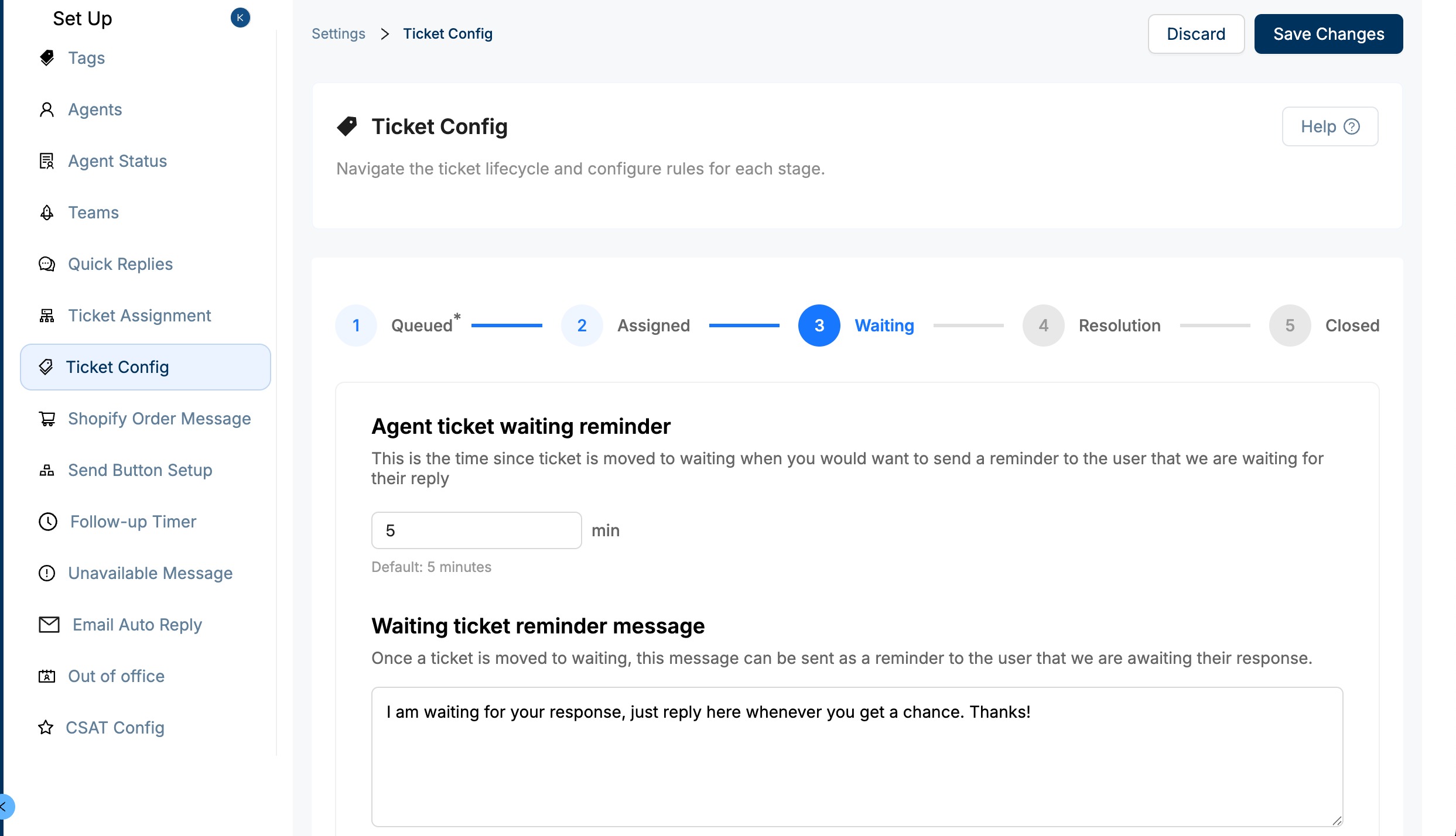
Agent Ticket Waiting Reminder
You can set a timer (default: 5 mins) that triggers a friendly nudge message asking the customer to reply.Waiting Ticket Reminder Message
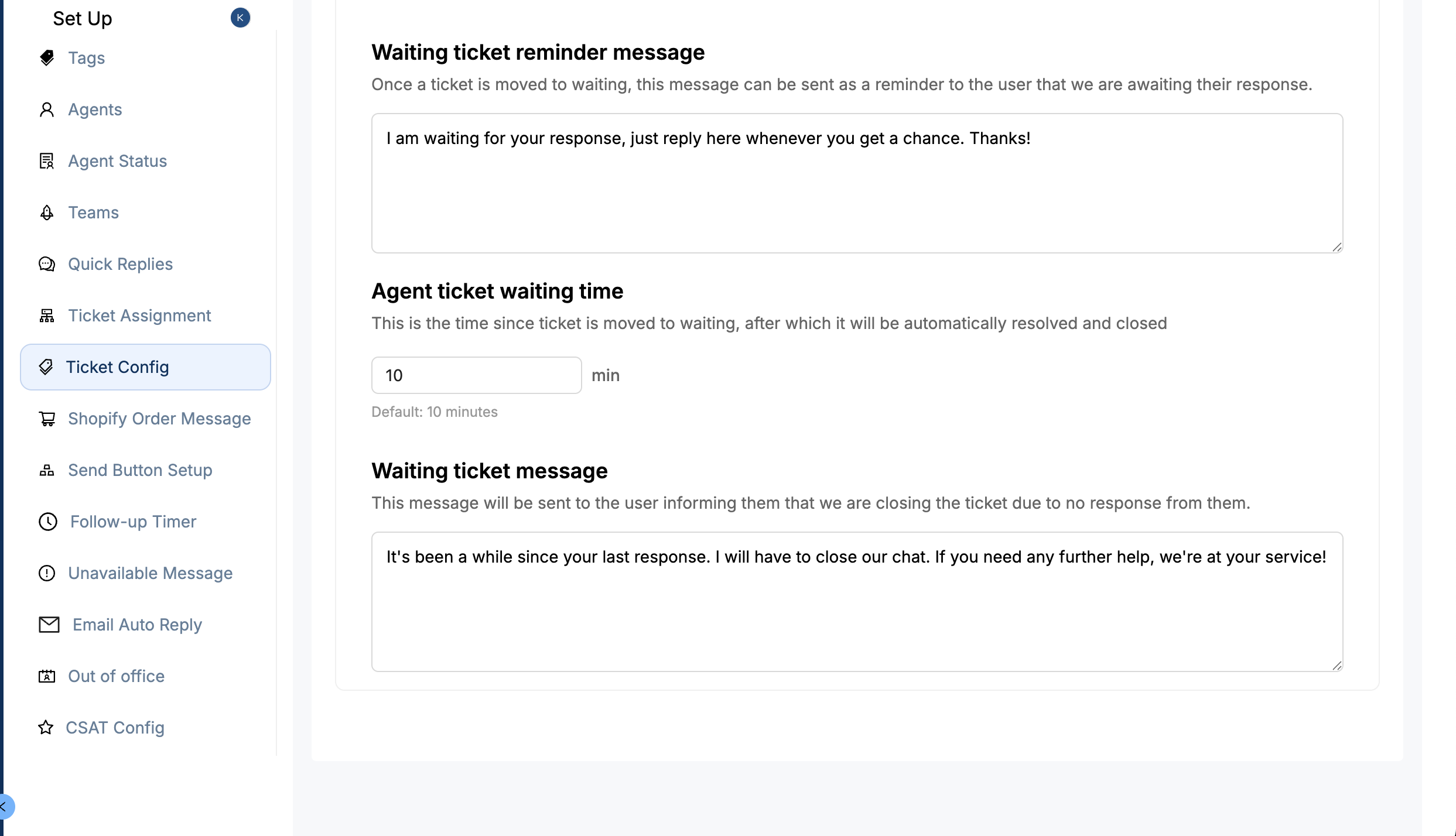
Customize the message customers see while waiting — e.g., “Please reply if you have more details — we’re here to help.”Agent Ticket Waiting Time (Auto-resolve)
This determines how long the system waits before automatically resolving the ticket due to inactivity (default: 10 mins).Waiting Ticket message (Auto-resolve)
This message is sent to the customer, informing them that due to inactivity their chatis being marked as resolved
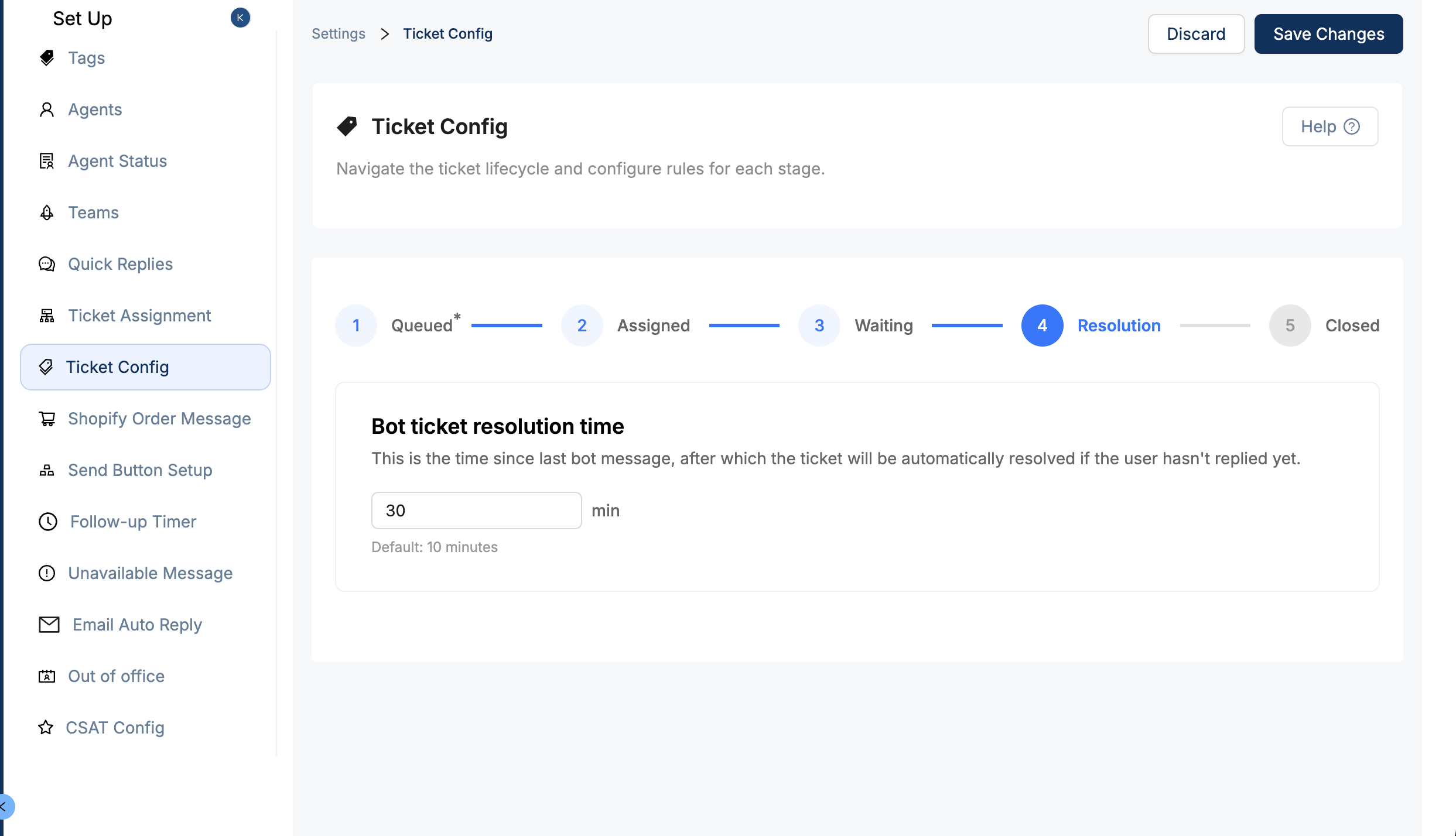
Ticket Resolution Settings
What it does ?
These settings determine how soon a ticket is automatically marked resolved by bot when conversation activity ends.
Configuration
Bot Ticket Resolution Time
Time taken for the system to auto-resolve tickets that look completed using bot logic (default: 10 mins)
Best Practices
If you expect customers to respond slowly, consider increasing this timer to avoid tickets closing prematurely.
For quick support workflows, keeping it tight avoids stale tickets.
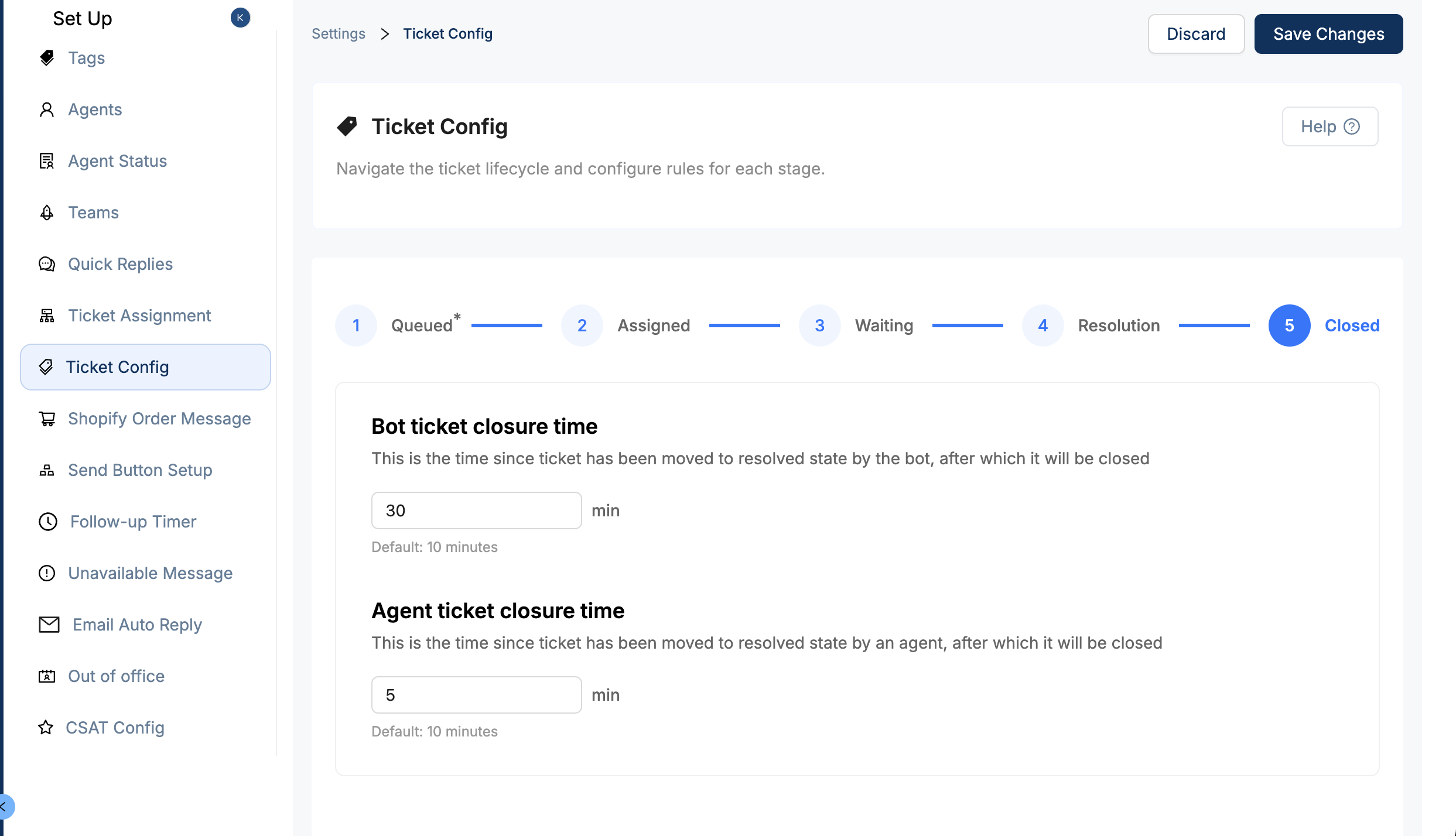
Ticket Closure Settings
What it does ?
Time for closure for both bot resolved and agent resolved tickets can be managed from here
Configurations
Bot Ticket Closure Time
How long before a ticket automatically closes after the system marks it resolved.
- Agent Ticket Closure Time
- How long before a ticket closes after an agent manually marks it resolved.
Was this article helpful?
That’s Great!
Thank you for your feedback
Sorry! We couldn't be helpful
Thank you for your feedback
Feedback sent
We appreciate your effort and will try to fix the article