Wa.me links enable users to start a direct WhatsApp conversation with a brand in one click. The link format allows the brand to pre-set a message that the user can send. When a user sends their consent pre-set message to KwikEngage, it is considered a form of marketing consent for WhatsApp.
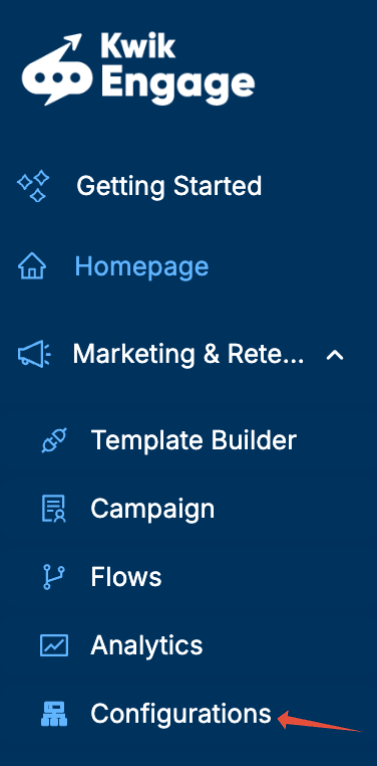
1. Open Configurations -> Consent Management on your GoKwik Dashboard
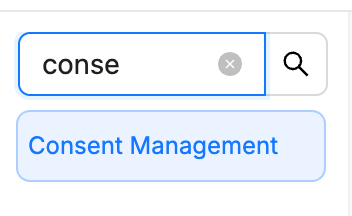
2. Enable wa.me link and configure the consent message.

3. Create a reply message for when you get a consent message, we suggest a message that involves a static coupon code.
1. Choose a useful template name
2. Welcome the customer to your store and mention the coupon code
3. Configure the code for easy copy
4. Submit the template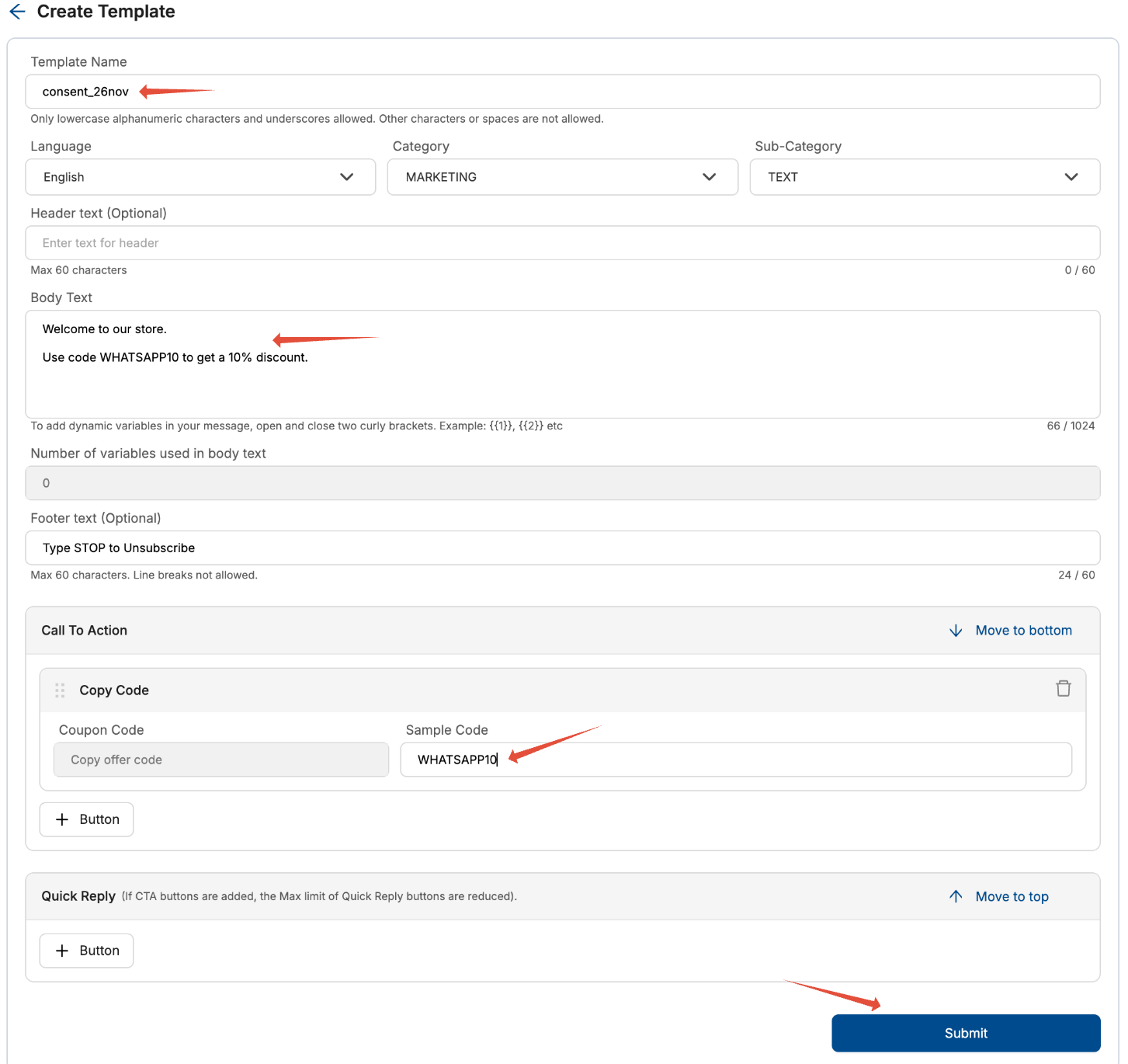
4. Create the consent flow using automation flows.
1. Open the Automation Flows section on KwikEngage
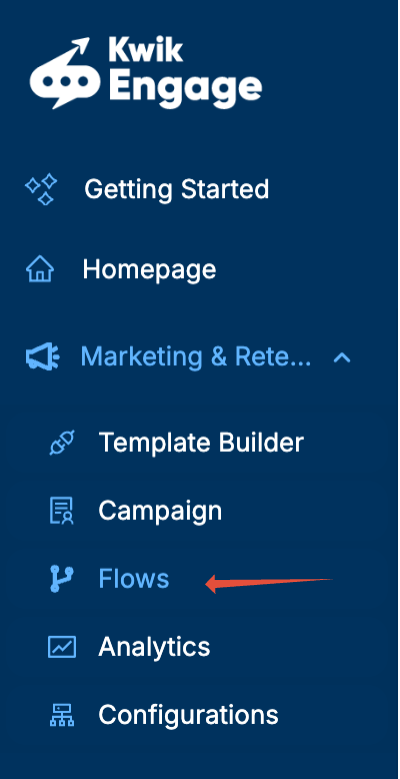

2. Choose the preset consent flow 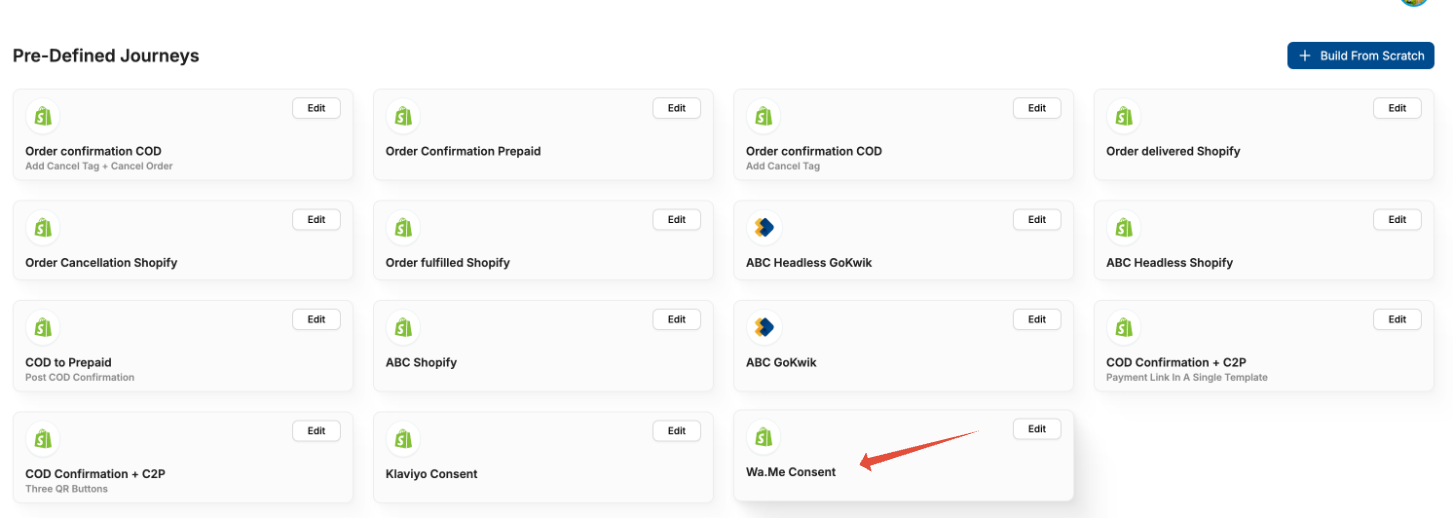
3. You can set up the flow as such
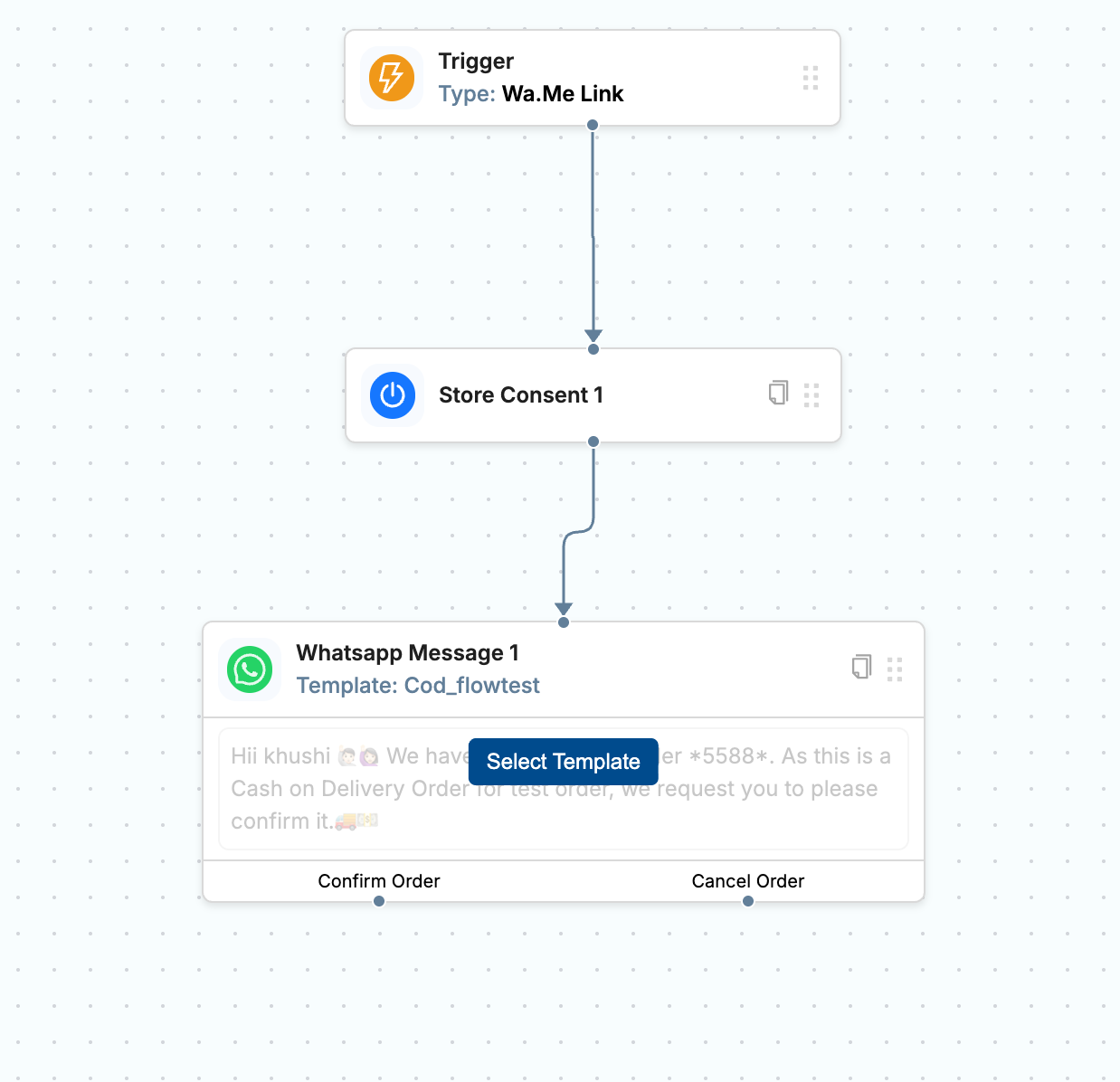
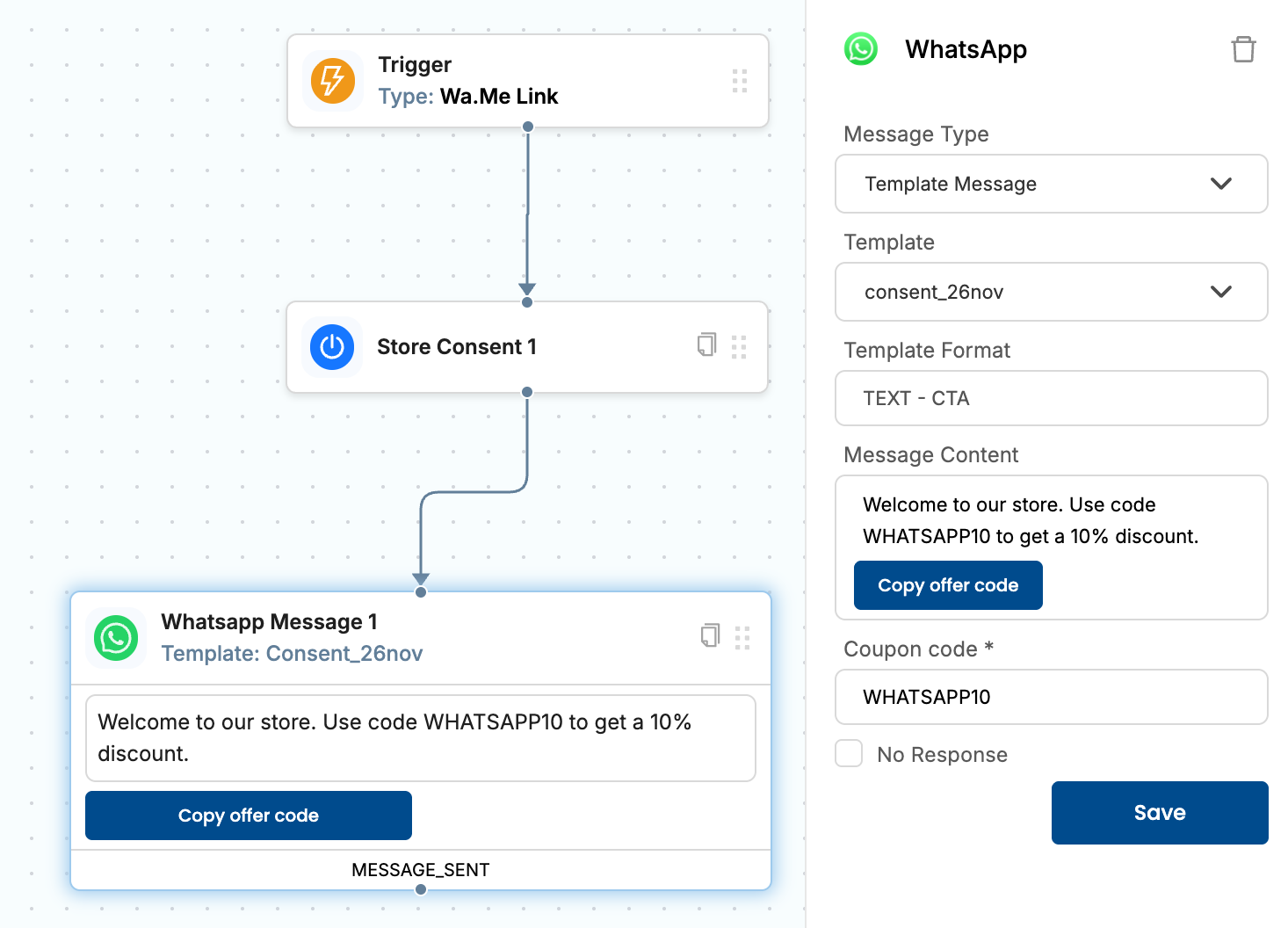
4. Mark the flow as active in the list of flows
5. Create the wa.me link. We recommend from here. In this case the wa.me link looks like :
https://wa.me/12183182966?text=I%E2%80%99d%20like%20to%20stay%20in%20touch%2E%20I%20consent%20to%20receive%20WhatsApp%20updates%2C%20offers%2C%20and%20cart%2Fcheckout%20reminders%2E
6. Click on the wa.me link on your phone. It should open as so:
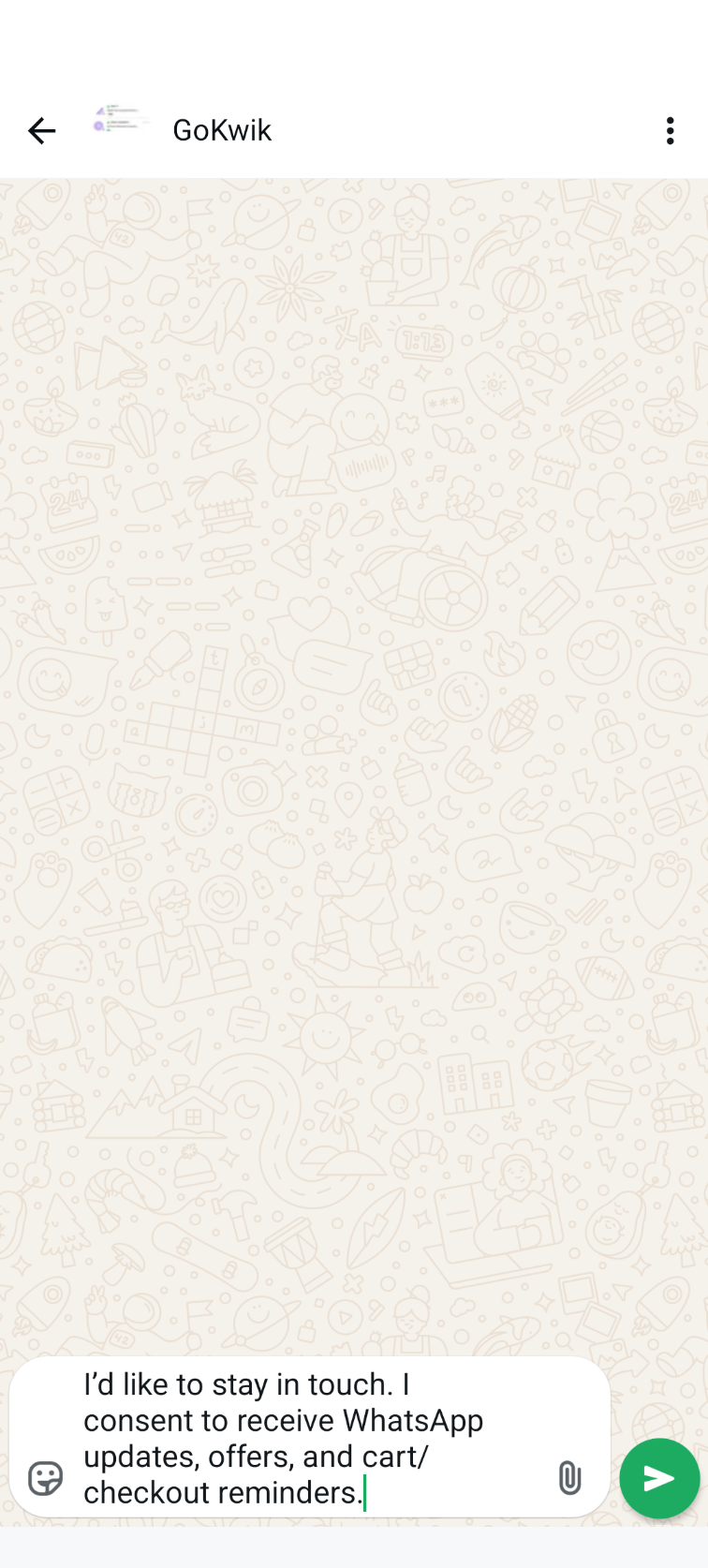
7. Send the message and receive the acknowledgement message. This means that you are consented for receiving marketing messages on Whatsapp
Was this article helpful?
That’s Great!
Thank you for your feedback
Sorry! We couldn't be helpful
Thank you for your feedback
Feedback sent
We appreciate your effort and will try to fix the article