Step-by-Step Process
Login
Access the platform at: https://app.kwikengage.ai/
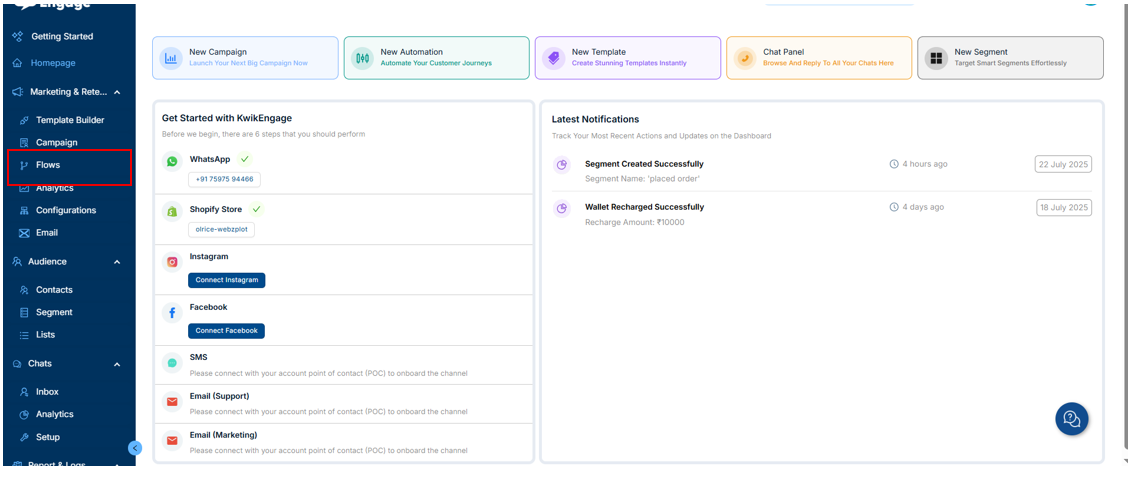
Navigate to Flows
Go to Flows
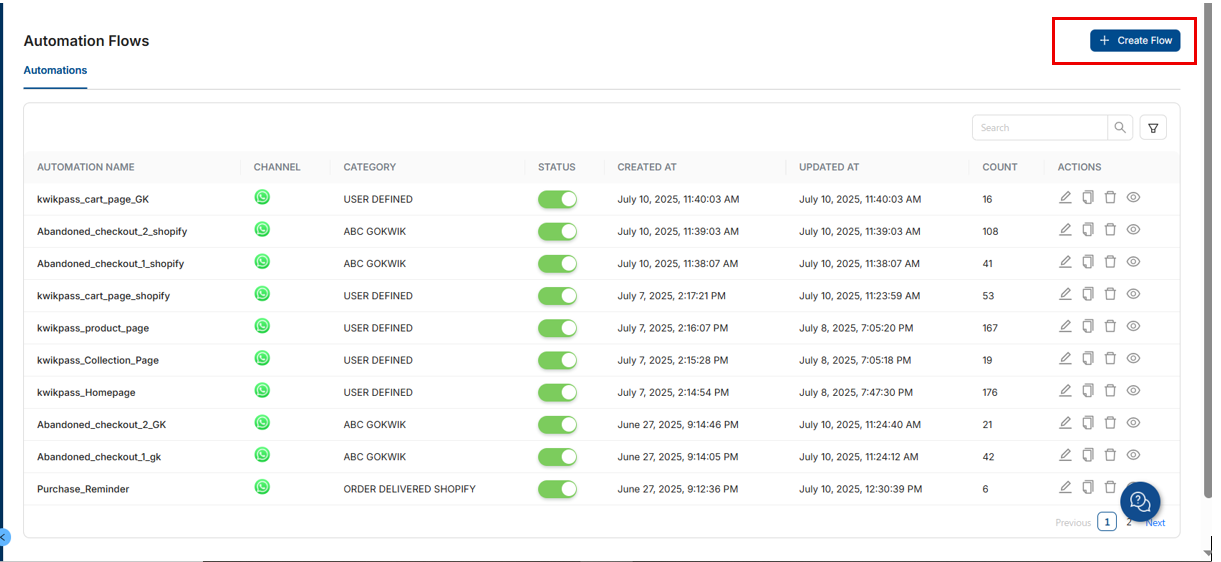
Click on Create Flow
3. Select Flow Type
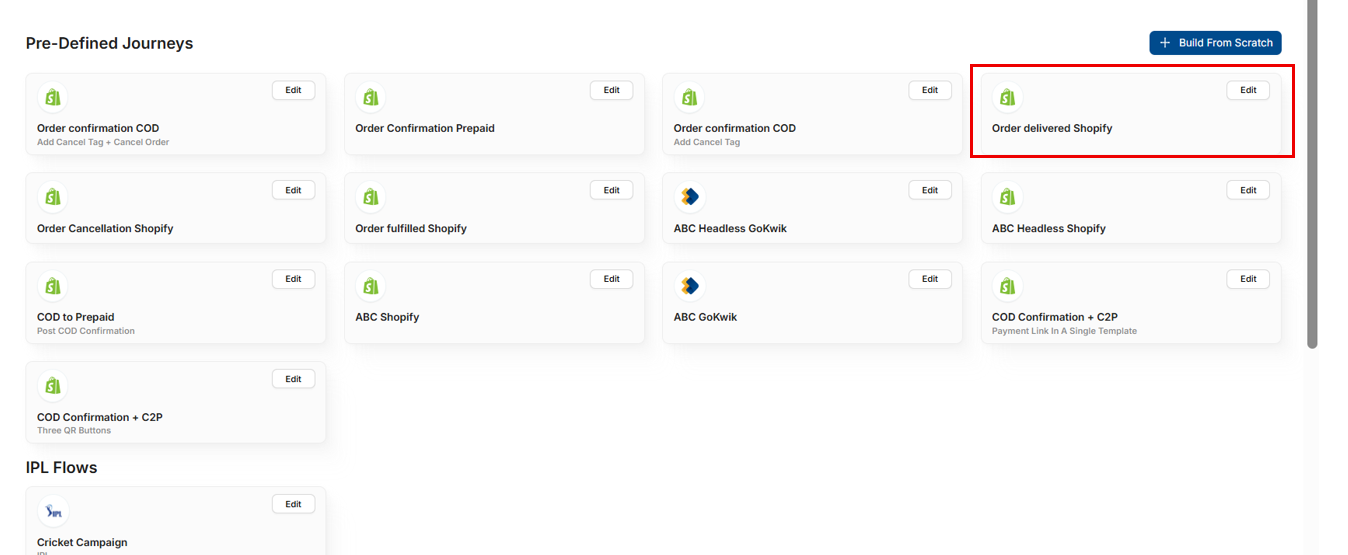
Choose the 4th flow option: “Order Delivered Shopify”
4. Add Time Delay
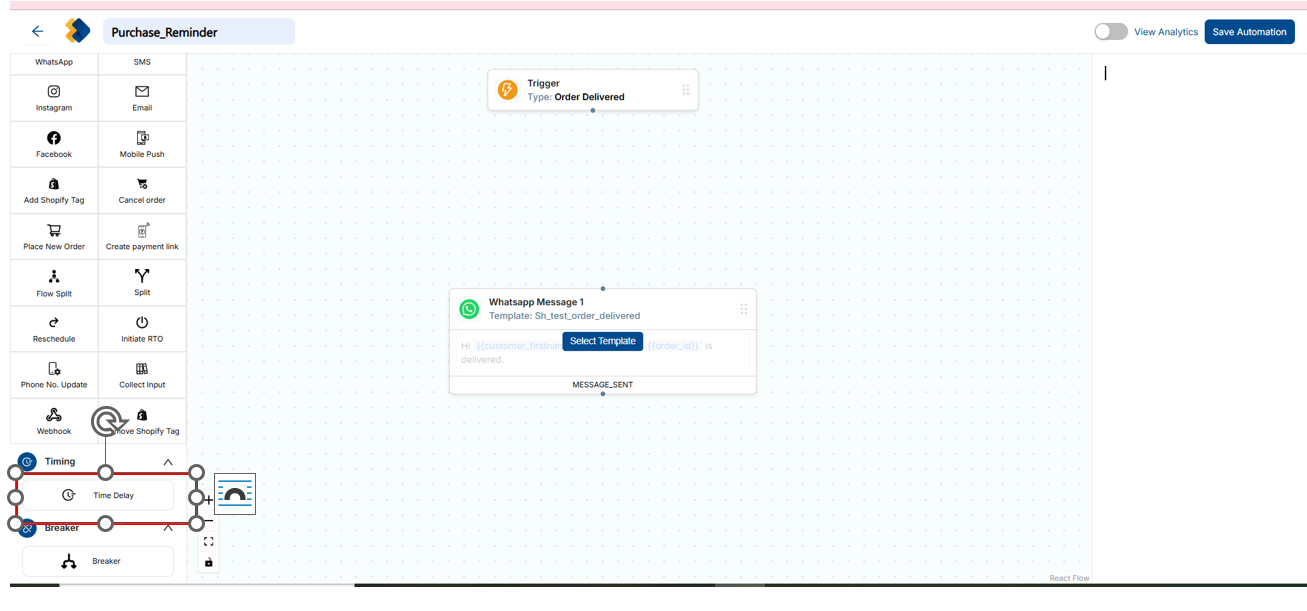
Insert a Time Delay block between the Trigger and WhatsApp blocks
Configure the delay duration as per your requirement
5. Configure Flow Details
Add the Flow Name
Select the Sandbox Number
Set the Automation Type to Marketing
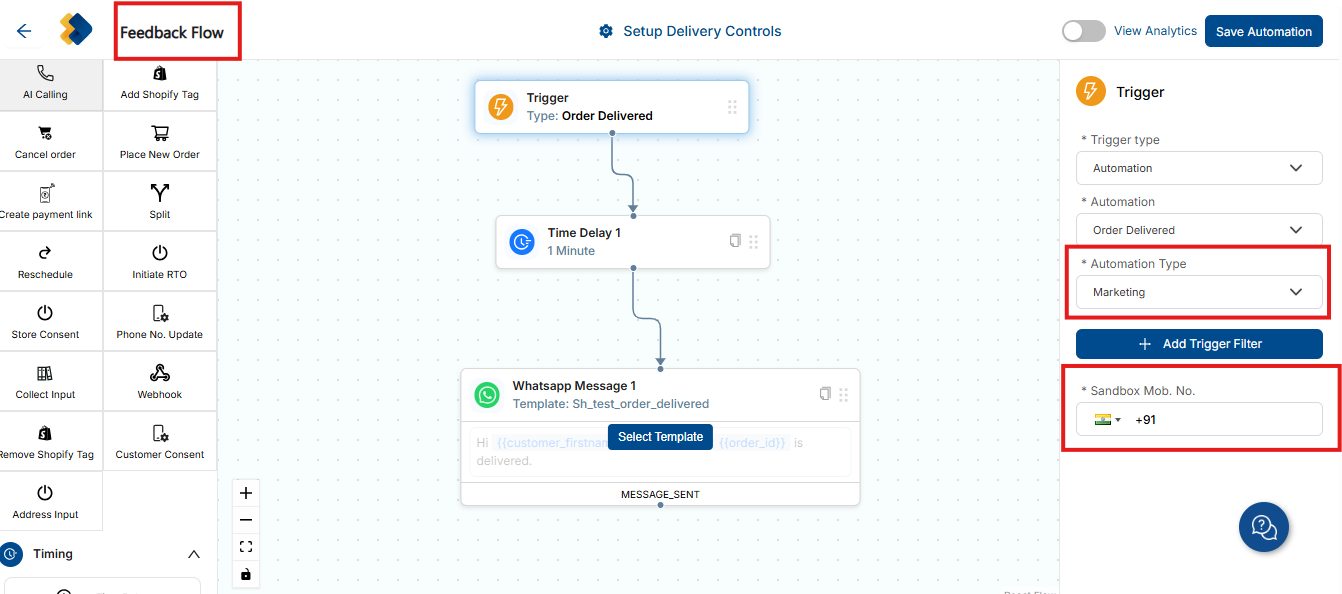
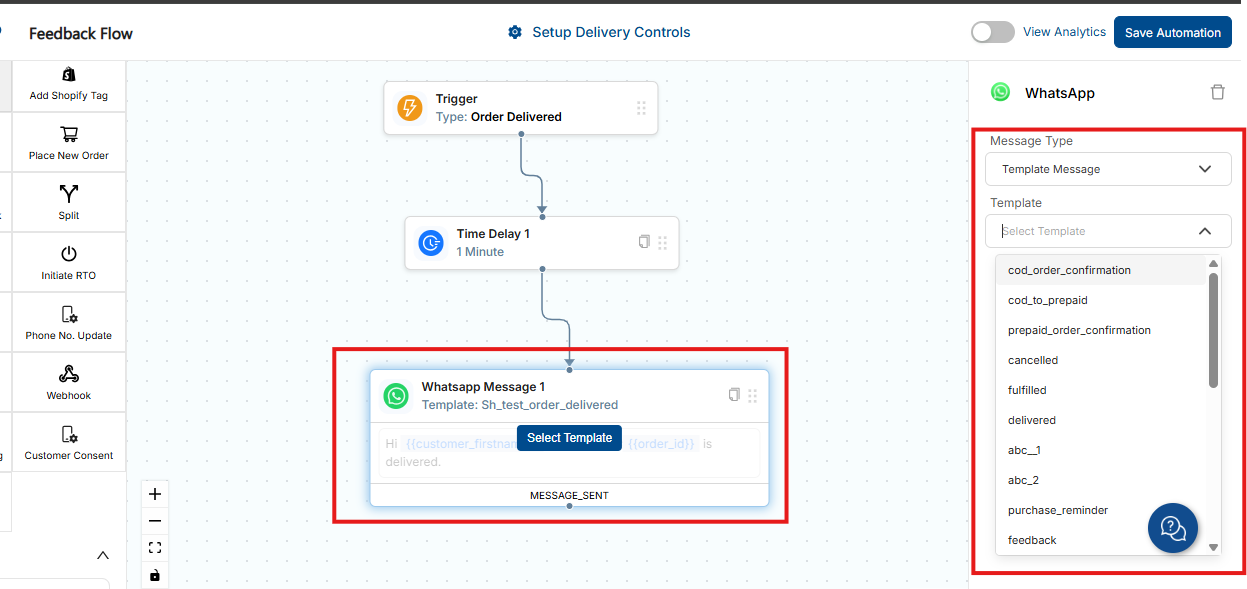
6. Add Feedback Template
Select and apply the Feedback WhatsApp Template
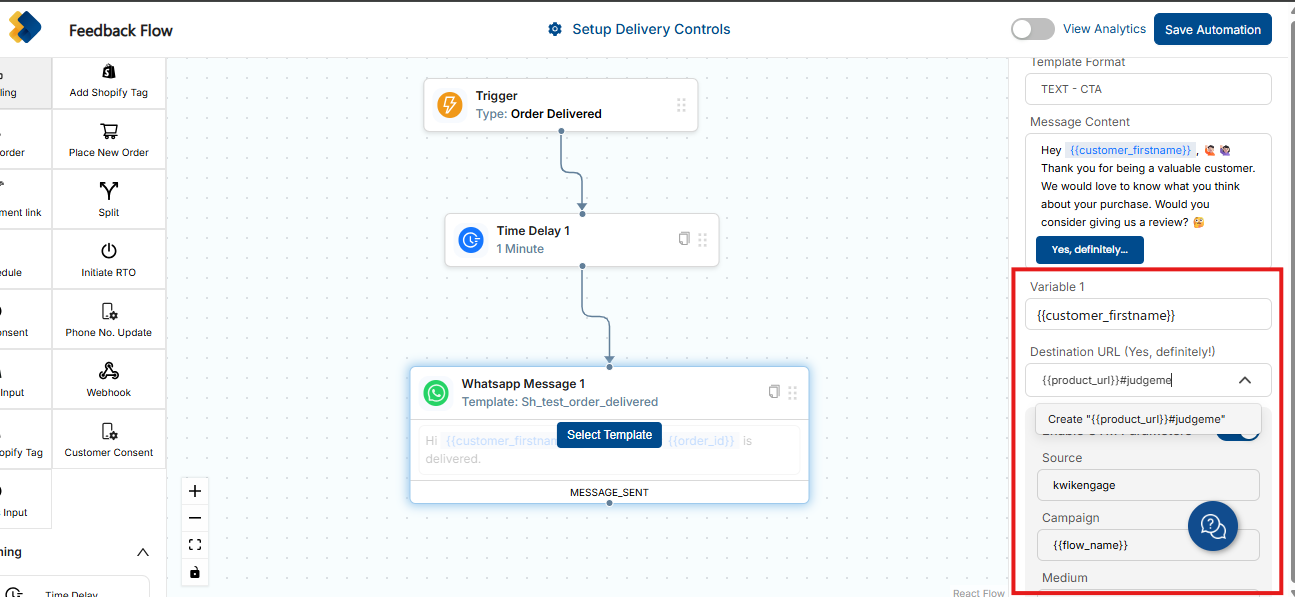
7. Judge.me Integration (If Applicable)
If judge.me is enabled, update the destination URL as follows:{{product_url}}#judgeme
Click on Create
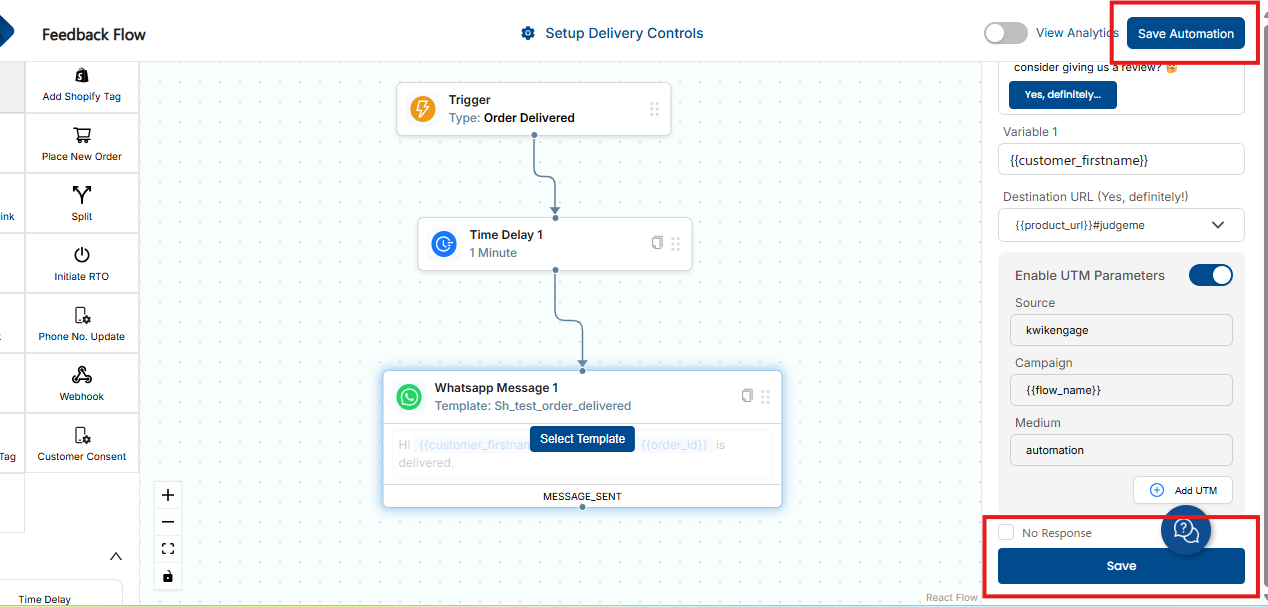
8. Save the Flow
Click Save at the bottom of the page
Click Save Automation at the top-right corner of the page
Was this article helpful?
That’s Great!
Thank you for your feedback
Sorry! We couldn't be helpful
Thank you for your feedback
Feedback sent
We appreciate your effort and will try to fix the article