Step 1: Log in
Access the platform at: https://app.kwikengage.ai/
Step 2: Navigate to Lists
Go to Lists
Click on Upload Lists (top-right corner)
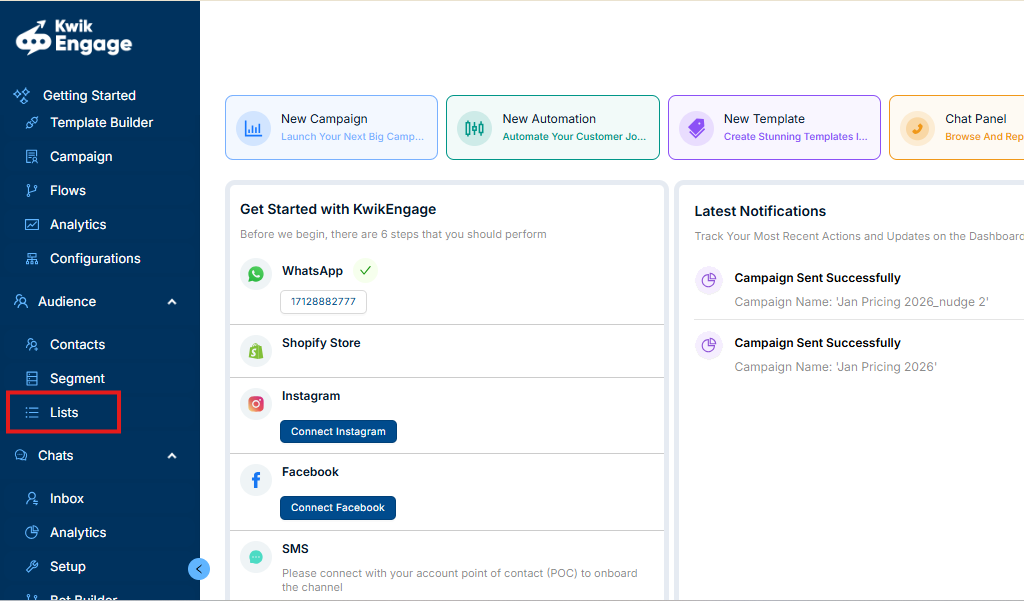
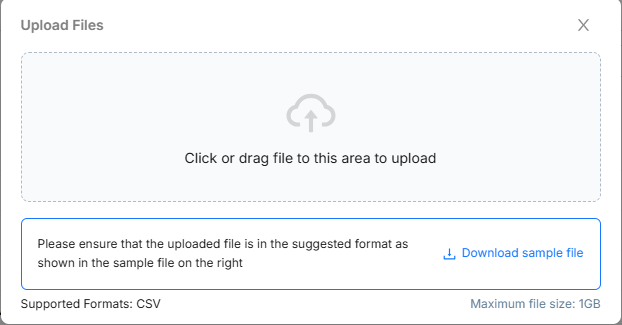
Step 3: Upload the File
Click on “Click or drag file to this area to upload”
Upload the required file
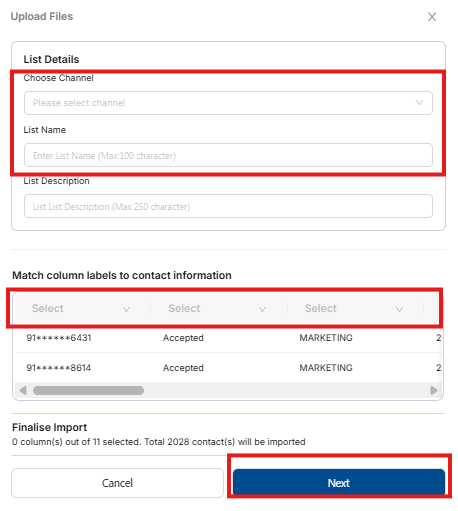
Step 4: Complete the Details
Select the appropriate channel
Enter the List Name
Map the column names correctly
Click on Next to proceed
Important Guidelines for Manual List Upload
The file must be in CSV format.
All customer phone numbers should be valid, trimmed (no extra spaces), and stored in number format.
Each phone number must include the country code (e.g., 91 for India).
Was this article helpful?
That’s Great!
Thank you for your feedback
Sorry! We couldn't be helpful
Thank you for your feedback
Feedback sent
We appreciate your effort and will try to fix the article