WhatsApp Typing Indicator
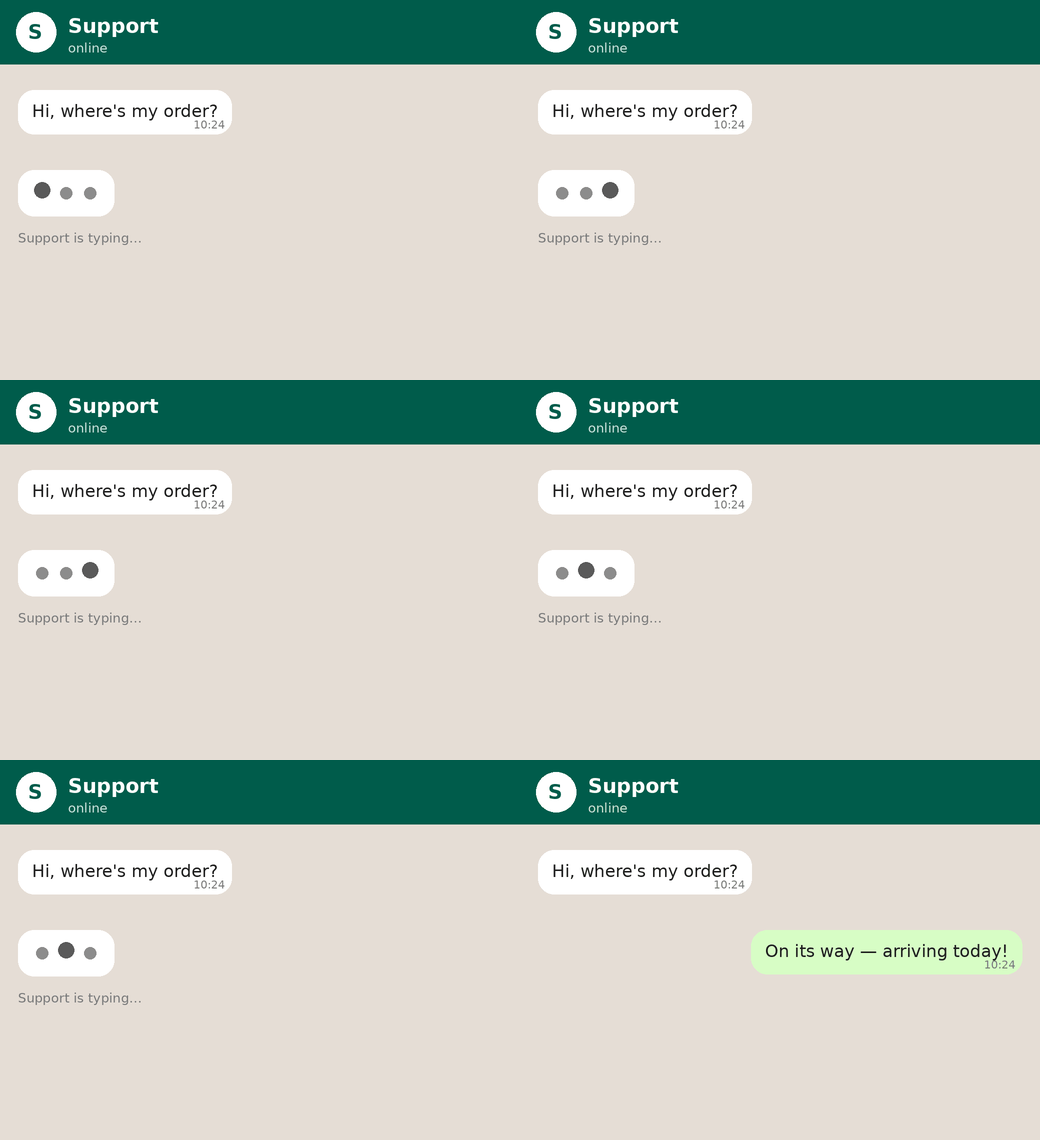
Your customers can now see when a reply is on the way. Just like a normal WhatsApp chat, an animated "typing…" indicator appears on the customer's screen while your AI bot is preparing a response or your team is composing one — so customers feel heard and are less likely to send repeated follow-ups.
How it works
- When your AI bot starts generating a reply, the customer immediately sees "typing…", which clears the moment the reply is sent.
- When an agent, admin or supervisor types in the reply box, the indicator appears 2 seconds after they start typing. There's no minimum character limit — it's based on typing, not message length.
- It disappears when the message is sent, and cancels automatically if the reply box is cleared or closed without sending. For longer replies, the signal stays active while your team keeps typing.
Good to know
- Available to all merchants — it's on automatically, with nothing to configure.
- Works with the new version of the AI bot and with replies sent from the composer by your agents, admins and supervisors.
- Currently applies to WhatsApp
In case you are not observing this feature on your account, your WhatsApp account may need a quick upgrade. Kindly get in touch with your account manager or write to kcs@gokwik.co
Was this article helpful?
That’s Great!
Thank you for your feedback
Sorry! We couldn't be helpful
Thank you for your feedback
Feedback sent
We appreciate your effort and will try to fix the article